The audio capture question type allows respondents to capture a moment or record an audio of a specific event. It allows the respondent to record an audio of a set length, up to ten minutes maximum. For example, respondents can capture an audio of their first impression after tasting/trying a new product. The question text is limited to 150 characters; a counter shows the number of remaining characters available. This question requires permission to use the microphone of the device, this will work with and without headphones.
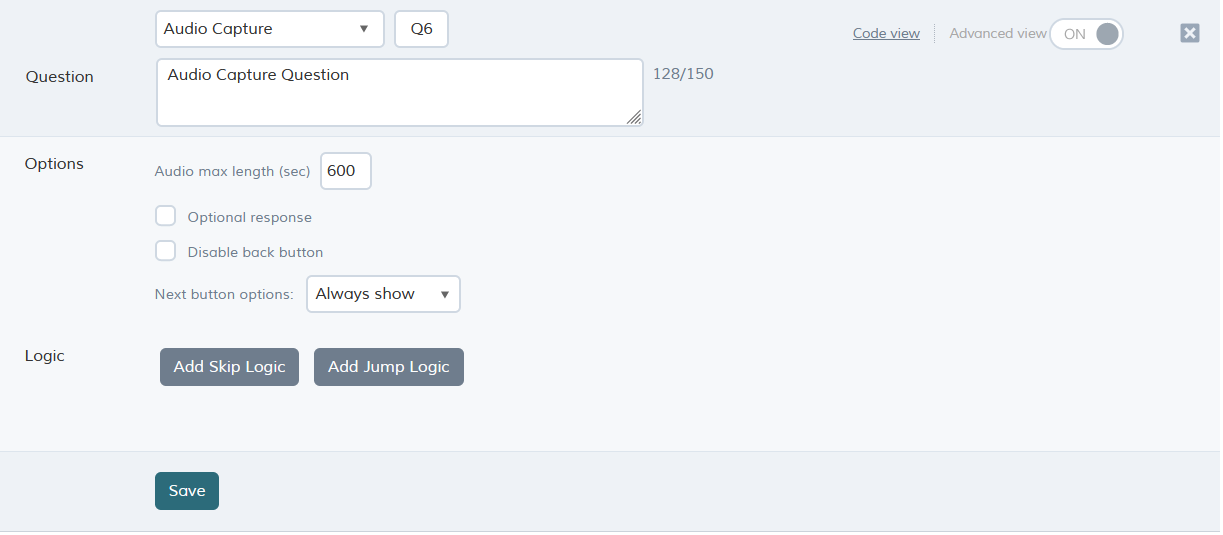
Question options
| Option | Description |
| Audio max length (sec) | The maximum length of the audio clip. If this field is left empty, the maximum audio length defaults to the maximum allowed length of 600 seconds (ten minutes) |
| Optional response | By default, the question must be answered by the respondent, but you can make it optional by selecting this option. The next button is enabled as soon as the question is presented. |
| Disable back button | Prevents the respondent from going back to previous question. |
| Next button options |
Always show - Next button is shown right away. Delay for - Allows delaying of the Next button so it appears 'X' seconds after arriving at the question. |
The format returned will be .aac (from iOS devices) or .3gp (from Android devices).
In the QMob dashboard, audio files can be retrieved from the reports tab; select download media files.