An open numeric question allows you to ask for a numeric answer. The question text is limited to 300 characters; a counter indicates the number of remaining characters available.
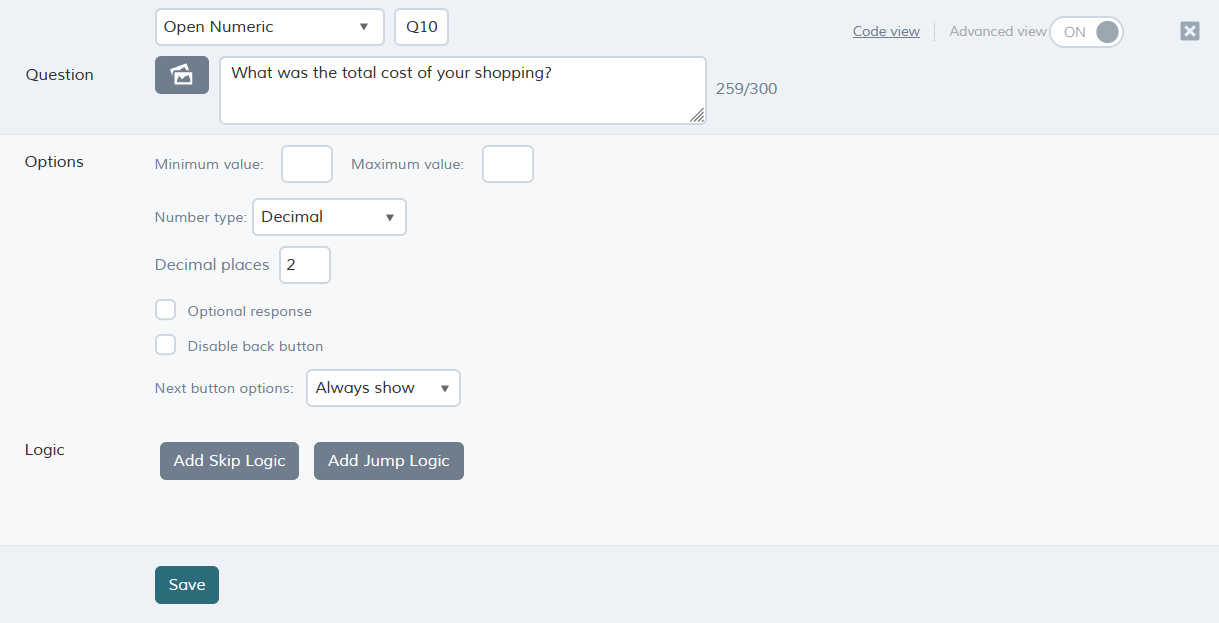
Question options
| Option | Description |
| Minimum value | Defines the minimum value that can be entered by the respondent. |
| Maximum value | Defines the maximum value that can be entered by the respondent. |
| Number type |
Integer: collects a whole number. For example, this is useful when you want to collect the age of the respondent, as in the example below. The default range of an integer response is 0 to 2,147,483,647. If you want to collect a telephone number, consider using an open text question. Decimal: collects a number that may include a decimal point. For example, this is useful when you want to collect price or percentage information. The default range is -2,147,483,648 to 2,147,483,64. |
| Decimal places | Amount of decimals allowed when Number type is set to Decimal. |
| Optional response | By default the question must be answered by the respondent but you can make it optional by selecting this option. |
| Disable back button | Prevents the respondent from going back to previous question. |
| Next button options |
Always show - Next button is shown right away. Delay for - Allows delaying of the Next button so it appears 'X' seconds after arriving at the question. |
Details about the script code for open numeric questions can be found here: open numeric question (scripting).